

Plugin WordPress
ShareThis · WordPress plugin
Simple Custom Content Adder for WordPress
A disclaimer at the foot of every post. A promotion above every page. A sign-up prompt under every article. Write it once, change it once, and every post and page follows — without touching your theme.
Setup
Three steps, about a minute
No theme edits, no code, and nothing to repeat on each post.
1
Install and activate
Search for "Simple Custom Content Adder" under Plugins → Add New, or download it from WordPress.org. It needs WordPress 5.9 or later and PHP 7.0 or later.
2
Write your content
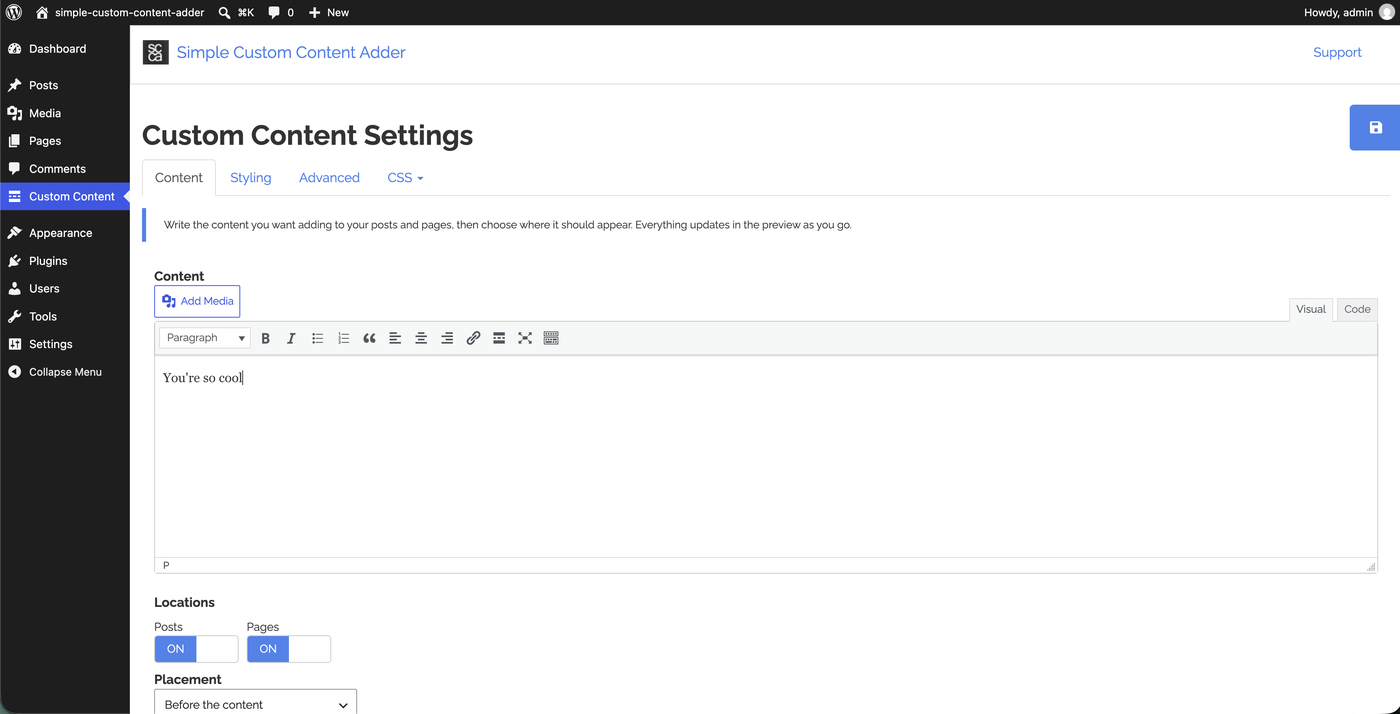
Open Custom Content in your dashboard menu. You get the full WordPress editor — formatting, links, lists, headings and the Add Media button — and you can paste in HTML if you prefer.
3
Choose where it goes
Tick Posts, Pages or both, then decide whether the box sits before your content, after it, or both. Style it on the same screen and watch the preview update as you go.
What you get
Write it once, place it anywhere
The editor you already know
Bold and italics, links, lists, headings and the Add Media button. Shortcodes from your other plugins work inside the box too.
Drop it exactly where you want
The Custom Content block places the box mid-article if you like, with wide and full alignment and the block editor's own margin controls.
Or use the shortcode
[scca] gives you the same box in the classic editor, widgets, templates and page builders.
Never twice on a page
Where a post uses the block or either shortcode, the automatic copy is left off — so your content never turns up twice.
Style it without writing CSS
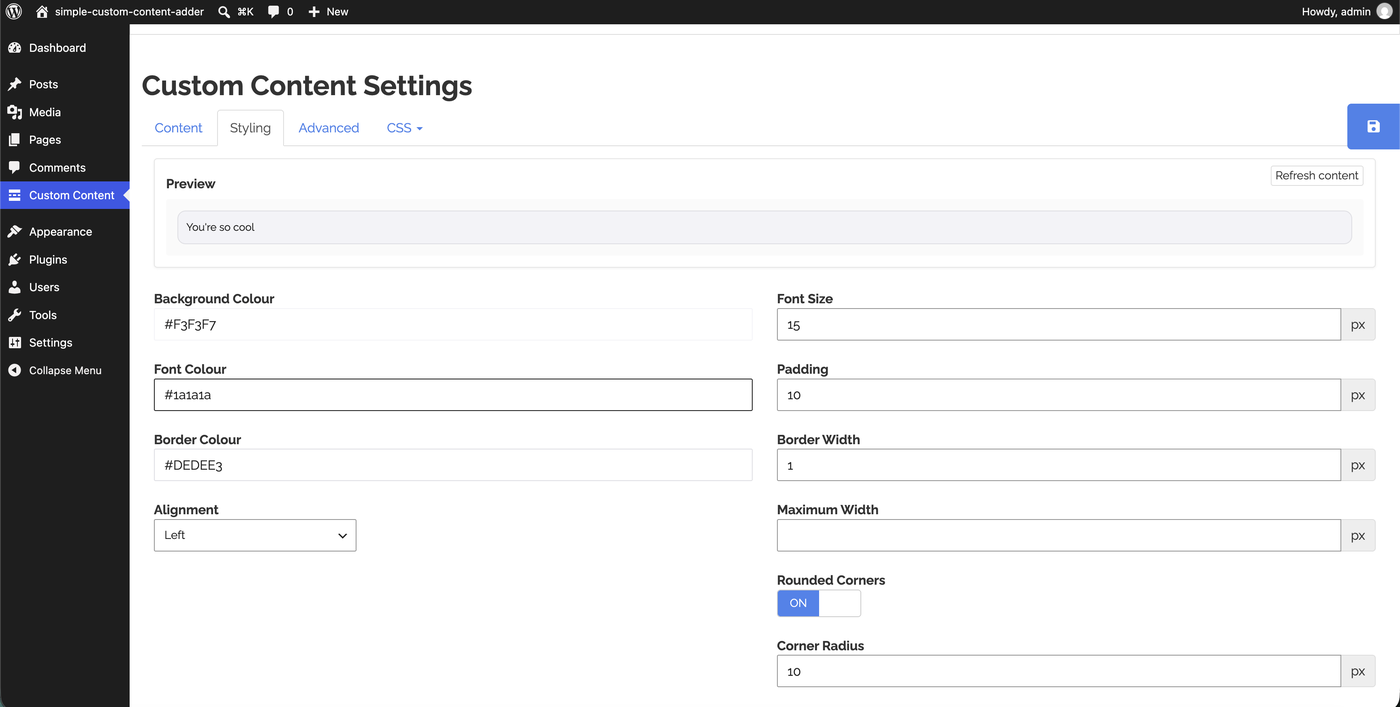
Background, text and border colours, border width, padding, font size, rounded corners, maximum width and alignment, all with a live preview.
Or write the CSS yourself
Additional CSS is appended to the generated styles; Custom CSS replaces them entirely and the styling options step aside.
Impostazioni
A live preview while you write
Content, styling and placement all sit on one screen, and the preview at the top of the styling panel updates as you change each value — so you see the finished box before you save it.
- Show on posts, pages, or both
- Place the box before your content, after it, or both
- Colours, padding, font size and rounded corners without CSS
- Raise or lower the content filter priority when another plugin gets in the way
- Every string is translatable
Domande Frequenti
Questions about Simple Custom Content Adder
In your dashboard under Custom Content. It is a top-level menu item, not under Settings or Plugins.
Three things to check. Under Locations, at least one of Posts and Pages has to be ticked. An empty content box renders nothing at all, by design. And your site's front page and blog index are deliberately left alone even when Pages is ticked — use the block or the [scca] shortcode if you want the box there.
Yes. Add the [scca_hide] shortcode anywhere in that post's content. The box is left off that post, and every other post is unaffected.
Yes, two ways. Use the Custom Content block to place it exactly where you want it in the block editor, or the [scca] shortcode anywhere shortcodes are allowed — a widget, a template, a page builder. If you only ever want to place it by hand, untick both Posts and Pages.
No. The block shows the content from the settings screen, so editing it once updates every post and page that uses the block. The editor preview is the real front-end markup, so what you see while editing is what your visitors get.
Yes. The content is run through WordPress's shortcode handling just like post content, so shortcodes from your other plugins work inside the box.
No. Your content, colours, sizes and placement are carried across the first time you open the settings screen after upgrading, and the old settings are tidied away afterwards.
Add it once, see it everywhere
Free on WordPress.org. No theme edits, no code, no per-post repetition.